lotus labs
AI-Powered Updates Coming Soon to Your Favorite Apps



Slack: SlackGPT
SlackGPT is a new chatbot for Slack that can help users with a variety of tasks, such as finding information, scheduling meetings, and generating creative content. Powered by OpenAI's GPT-3 language model, SlackGPT will help you work smarter, learn faster, and communicate better. Each time you log in, you will be able to quickly get up to speed with one click as the AI technology can summarize all of a channel’s unread messages into a brief summary. SlackGPT also has the ability to automate emails or messages based on the audience further increasing daily productivity. Additionally, with AI assistance built natively into Slack’s message composer and canvas, Slack GPT can also help you tweak your drafts until perfection. With a few clicks, you can create content or adjust the tone at any point in your writing with options to shorten, elaborate, or change the tone.
Grammarly: GrammarlyGO
GrammarlyGO is a new mobile app available for iOS and Android devices that uses AI to help users with grammar, spelling, and punctuation. GrammarlyGO brings the power of generative AI to the Grammarly experience, providing assistance across the digital spaces you write in most. There are a variety of ways to use GrammarlyGO as it can keep track of the context of your writing as well as your preferred writing style while offering suggestions. You can accelerate your writing process by prompting GrammarlyGO with basic instructions to conceive polished drafts. You can simplify rewriting by inputting your written text into GrammarlyGO and letting the app offer different versions of your original ideas. Finally, you can facilitate brainstorming as GrammarlyGO can generate any idea or structure straight to the page you are already on. While users will be able to input 100 prompts per month into GrammarlyGO for free, they will need the premium version for more monthly inputs.
Zoom: ZoomIQ
The purpose of Zoom IQ is to be a smart companion that empowers collaboration and unlocks people’s potential by summarizing chat threads, organizing ideas, drafting content for chats, emails, and whiteboard sessions, and creating meeting agendas. As a result, this AI- add-on has many notable features such as being able to analyze meeting recordings and provide insights into how meetings are being run. This information can then be used to improve meeting performance and productivity. If you have to join a Zoom meeting late, you can simply ask Zoom IQ to summarize what you have missed in real-time and even ask further questions. If you need to create a whiteboard session for your meeting, Zoom IQ can generate it based on text prompts. If you need an additional perspective for a Zoom chat, you can use Zoom IQ to compose messages based on the conversational context. With its new AI innovations, Zoom appears to be poised for further growth.

Discover 3 AI tools that are useful for any professional including those for productivity automation and data analysis
65e0e1dcb09181168356dc07
lotus labs
© 2026 LOTUSLABS All rights reserved.


AI-Powered Updates Coming Soon to Your Favorite Apps
Slack: SlackGPT
SlackGPT is a new chatbot for Slack that can help users with a variety of tasks, such as finding information, scheduling meetings, and generating creative content. Powered by OpenAI's GPT-3 language model, SlackGPT will help you work smarter, learn faster, and communicate better. Each time you log in, you will be able to quickly get up to speed with one click as the AI technology can summarize all of a channel’s unread messages into a brief summary. SlackGPT also has the ability to automate emails or messages based on the audience further increasing daily productivity. Additionally, with AI assistance built natively into Slack’s message composer and canvas, Slack GPT can also help you tweak your drafts until perfection. With a few clicks, you can create content or adjust the tone at any point in your writing with options to shorten, elaborate, or change the tone.
Grammarly: GrammarlyGO
GrammarlyGO is a new mobile app available for iOS and Android devices that uses AI to help users with grammar, spelling, and punctuation. GrammarlyGO brings the power of generative AI to the Grammarly experience, providing assistance across the digital spaces you write in most. There are a variety of ways to use GrammarlyGO as it can keep track of the context of your writing as well as your preferred writing style while offering suggestions. You can accelerate your writing process by prompting GrammarlyGO with basic instructions to conceive polished drafts. You can simplify rewriting by inputting your written text into GrammarlyGO and letting the app offer different versions of your original ideas. Finally, you can facilitate brainstorming as GrammarlyGO can generate any idea or structure straight to the page you are already on. While users will be able to input 100 prompts per month into GrammarlyGO for free, they will need the premium version for more monthly inputs.
Zoom: ZoomIQ
The purpose of Zoom IQ is to be a smart companion that empowers collaboration and unlocks people’s potential by summarizing chat threads, organizing ideas, drafting content for chats, emails, and whiteboard sessions, and creating meeting agendas. As a result, this AI- add-on has many notable features such as being able to analyze meeting recordings and provide insights into how meetings are being run. This information can then be used to improve meeting performance and productivity. If you have to join a Zoom meeting late, you can simply ask Zoom IQ to summarize what you have missed in real-time and even ask further questions. If you need to create a whiteboard session for your meeting, Zoom IQ can generate it based on text prompts. If you need an additional perspective for a Zoom chat, you can use Zoom IQ to compose messages based on the conversational context. With its new AI innovations, Zoom appears to be poised for further growth.
Get ready for AI-powered updates coming soon to your favorite apps with enhanced features smarter recommendations and improved user experiences
65e0e1dcb09181168356dc08
lotus labs
© 2026 LOTUSLABS All rights reserved.

A/B Testing for LLMs: Measuring AI Impact Using Business Metrics
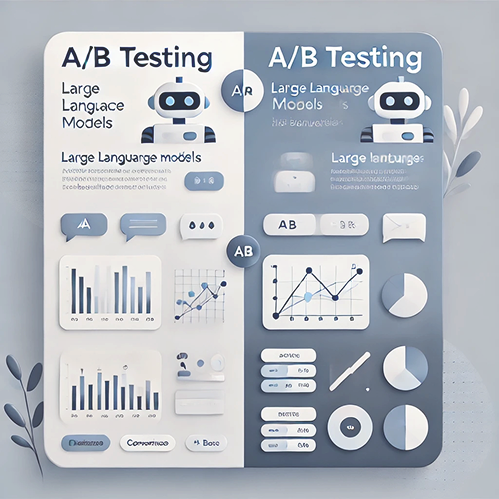
In the rapidly evolving world of AI, particularly with Large Language Models (LLMs), businesses are constantly experimenting to find what best delivers value, reduces costs, or increases user satisfaction. But how do you know if one model or approach is better than another?
This is where A/B testing, or split testing, becomes a powerful tool.
What is A/B Testing?
A/B testing is a method of comparing two versions of something to determine which one performs better. Think of it like a science experiment for your business. You create two versions, Version A and Version B, and expose them to different groups of users to see which one drives better outcomes.
Common use cases:
- Web pages: Which version leads to more sales or sign-ups?
- Email campaigns: Which subject line drives higher open rates?
- Product features: Does a new feature improve user retention or engagement?
- Processes: Is a new onboarding flow reducing churn or saving time?
Now, imagine applying the same logic to AI models specifically, to LLMs like GPT, Claude, or your own fine-tuned model.
How A/B Testing Applies to LLMs
LLMs are used in various business functions, customer support, content generation, data summarization, search, and more. As newer models or improvements roll out, it's essential to validate whether those changes are truly beneficial.
Key question: Is the new model version actually better for your users and your business?
General A/B Testing Process
- Define the Objective: What metric are you trying to improve? (e.g., task success rate, response time, user rating, cost per query)
- Identify the Variants: Version A (existing LLM) vs. Version B (new LLM or modified version).
- Segment the Audience: Randomly assign users or tasks to each version.
- Run the Test: Collect data over a defined time period (days or weeks, depending on traffic and volume).
- Analyze Results: Use statistical significance tests to determine if one variant performs better.
Key Concepts When Testing LLMs
- Data Points: Logs of user interactions, model responses, response latency, and costs per token or query.
- Observation Metrics:
- User satisfaction ratings (thumbs up/down, 1–5 stars)
- Task success rate (Did the model answer the query correctly?)
- Business KPIs (Conversion rate, Time saved, Retention uplift)
- MDE (Minimum Detectable Effect): The smallest change that matters to your business (e.g., a 2% increase in helpfulness).
- Sample Size: Enough interactions to detect meaningful differences (calculated based on traffic and MDE).
- Confidence Level: Typically, 95%, you want to be statistically sure that any difference isn’t just due to chance.
Real-Life Example: A/B Testing Chatbots
Imagine you're using an LLM-powered chatbot for customer service. You're testing:
- Model A: Your current LLM (e.g., GPT-3.5)
- Model B: A newer, faster model (e.g., GPT-4-turbo)
Metric to observe: Percentage of issues resolved without human escalation.
After two weeks, results show:
- Model A resolved 60% of cases.
- Model B resolved 67% of cases.
The difference is statistically significant. But wait, Model B is also 20% more expensive per token. Now you tie in business metrics:
- Does the reduced human involvement save more than the added cost?
- Is user satisfaction higher, leading to more loyalty or upsell potential?
This is how A/B testing combines technical evaluation with real-world business impact.
LLM Evaluation Meets A/B Testing
Traditionally, LLMs are evaluated with methods like:
- BLEU/ROUGE scores for text generation
- Human rating panels
- LLM-as-a-judge frameworks (e.g., GPT-4 judging two LLMs' answers)
These are great, but they're offline evaluations.
A/B testing adds a live, user-driven dimension. It answers: What happens when we actually deploy this?
What Else Can You Test with A/B for LLMs?
Beyond just changing the model version, A/B testing can help evaluate:
- Prompt Engineering:
- Is “You are a helpful assistant” better than “Answer concisely in bullet points”?
- Test different prompt styles for user clarity and task success.
- Fine-Tuning Strategies:
- Is your fine-tuned model actually outperforming the base version?
- Context Length and RAG:
- Does adding Retrieval-Augmented Generation improve answer accuracy?
- Does a longer context window reduce hallucinations or increase latency?
- Post-Processing Logic:
- Are summaries with tone adjustments more engaging?
- UX Variations:
- Interface changes like showing model confidence scores or highlighting keywords.
With LLMs becoming central to how businesses interact with users and make decisions, it's critical to not just deploy models but deploy the right ones.
A/B testing offers a rigorous, user-centric way to make sure your AI investments are aligned with business value. It's where AI performance meets real-world impact.
So the next time you're wondering whether your new model is “better,” don’t just ask an LLM to judge itself, run the test, get the data, and make the call.
To work on similar and various other AI use cases, connect with us at
https://www.lotuslabs.ai/
To work on computer vision use cases, get to know our product Padme
https://www.padme.ai/
A/B Testing for LLMs: Measuring AI Impact Using Business Metrics
683412fd94a300ddf57c3a8a